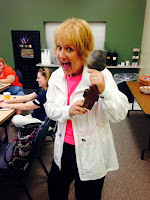
As many of you know I attend a Tech Integration Group at Essdack once a month. The group consists of other tech integration specialists, school librarians, teachers and those with a passion for using technology in the classroom. We spend our time sharing and exploring new technology tools as well as discussing the uses within the classroom. We make every effort to focus our time around a specific topic. If instance, the main topic for our November meeting was Everything Google. We also begin each meeting with an icebreaker - I may use some of these in future tech training sessions.
Demo Slam
In an effort to cover the specific Google topics that piqued our interests, we broke the topics into groups and could choose which group we wanted to join. The group discussed the topic and addressed specific questions. We were then challenged to create a 'Demo Slam' based on our topic. I had not heard of a Demo Slam yet, but discovered that this term was coined by Google in an effort to make those boring tech demos more entertaining. Since we didn't have time to make a video, we we were to create a quick slideshow with 8-10 slides demonstrating our topic.
Here are some official Google Demo Slams:
This video showcases how Google Goggles works. Not familiar with Google Goggles? Read more about it -
https://support.google.com/websearch/answer/166331. You can also get the app for your iPhone -
http://googlemobile.blogspot.com/2010/10/open-your-eyes-google-goggles-now.html.
In this video, the creators use Google Presentation to create an animated project. I don't know if I would have the patience to create something like this, but it's AMAZING!
While this Demo Slam isn't as dramatic, it does showcase an idea for having students share photos in a class blog. This would be great for field trips, creation projects or other completed assignments.
While none of the groups actually created a Demo Slam over their topic (we ran out of time), we did have some good discussions on the various Google topics.
Google Tour Builder
Another tool we explored as a group was Google Tour Builder. When Google Earth came out, teachers were able to create virtual trips to enhance learning in social studies, English, Spanish, science and other content areas. However, the process was time-consuming and not for the technology novice. Google Tour Builder allows you to create these virtual trips without the complicated procedures. You can add locations, photos, videos, text and more. This tool takes digital storytelling to a whole new level.
In this video a student quickly reflections on their project created in Google Tour Builder.
**Please note - You are required to download and install the Google Earth Plugin -
https://www.google.com/earth/explore/products/plugin.html - before you can use Google Tour Builder.
Other Google Tools
We discussed other Google Tools like Google Classroom, which I will be exploring and writing about more in the near future, and
Google Cultural Institute, which I've shared in the past through Diigo. We also discussed the some Google Add-ons including
Flubaroo,
Doctopus and
SuperQuiz.
Finally, the last web tool that I explored is one every educator needs bookmarked on their computer. We all know that compliments are few and far between, especially if you are in education. This web tool by Tony Vincent will help you end your days with a high quality compliment - ok maybe some of them are a little cheesy, but at least it's a compliment. The great part is you can compliment yourself over and over again.

 Ten Reflective Questions to Ask at the End of Class

